Rate Homes and Watch Your Journey Come Alive
Favorite the ones you like, love the ones you love, and watch your journey take shape
3 min read
Somewhere around a dozen saved listings in, the home search stops feeling organized. The ones you keep coming back to blur together with the ones you already ruled out, and every scroll makes you re-decide homes you settled days ago.
OpenHomeVue gives you two quick ways to record decisions that stick: Favorite the homes you like with a heart, and give any home an impression: Loving, Maybe, or Pass. Your Watch List then reads through a focused lens: which homes passed your first screen, and which ones are worth serious consideration or an offer.
This article covers both rating controls, and the small bit of magic they unlock once you use them.
Two controls funnel your list to the top contenders
The heart marks a home as a keeper: in your price range, enough space for the family, an acceptable commute, a good school district, whatever screening criteria you carry in your head. The impression records your top contenders: the ones where the chemistry showed up on the tour, the disclosures checked out, and sense and sensibility finally agree.
Heart the homes you like
The heart is the fastest signal in OpenHomeVue: one tap says "this one is a keeper."
- On a Watch List card, tap the heart.
- It fills in, and the home joins your Favorites.
- Tap it again any time to remove the favorite.

Use Heart Rating to mark and track the homes you like.
Loving the home you love
Have a strong feeling about a home? Give it an impression.
- Loving, for the homes at the top of your heart.
- Maybe, for the ones you are still weighing.
- Pass, for the ones you are ready to let go.
Tap the faint three-icon control to spell out the choices, then pick one and it collapses to a single badge. Tap the badge any time to change your mind.
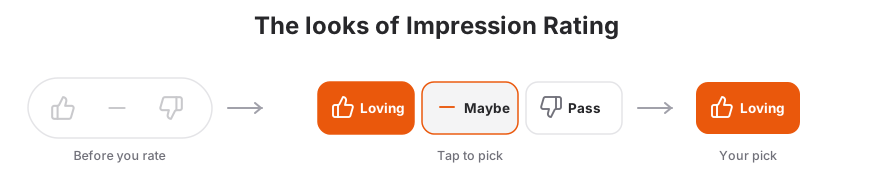
Use Impression Rating to mark and track the top contender homes.
Home ratings activate your Journey
Ratings do more than mark decisions and focus your Watch List. They also track your home-buying journey. Here is a sneak peek at what that journey could look like.
Visualized Journey on the Mobile App
Open the Journey tab and your saved homes fan out by where they stand: Watching, Favorites, Loving, and Offered, each wedge sized to its count. It is your whole search in a single glance.
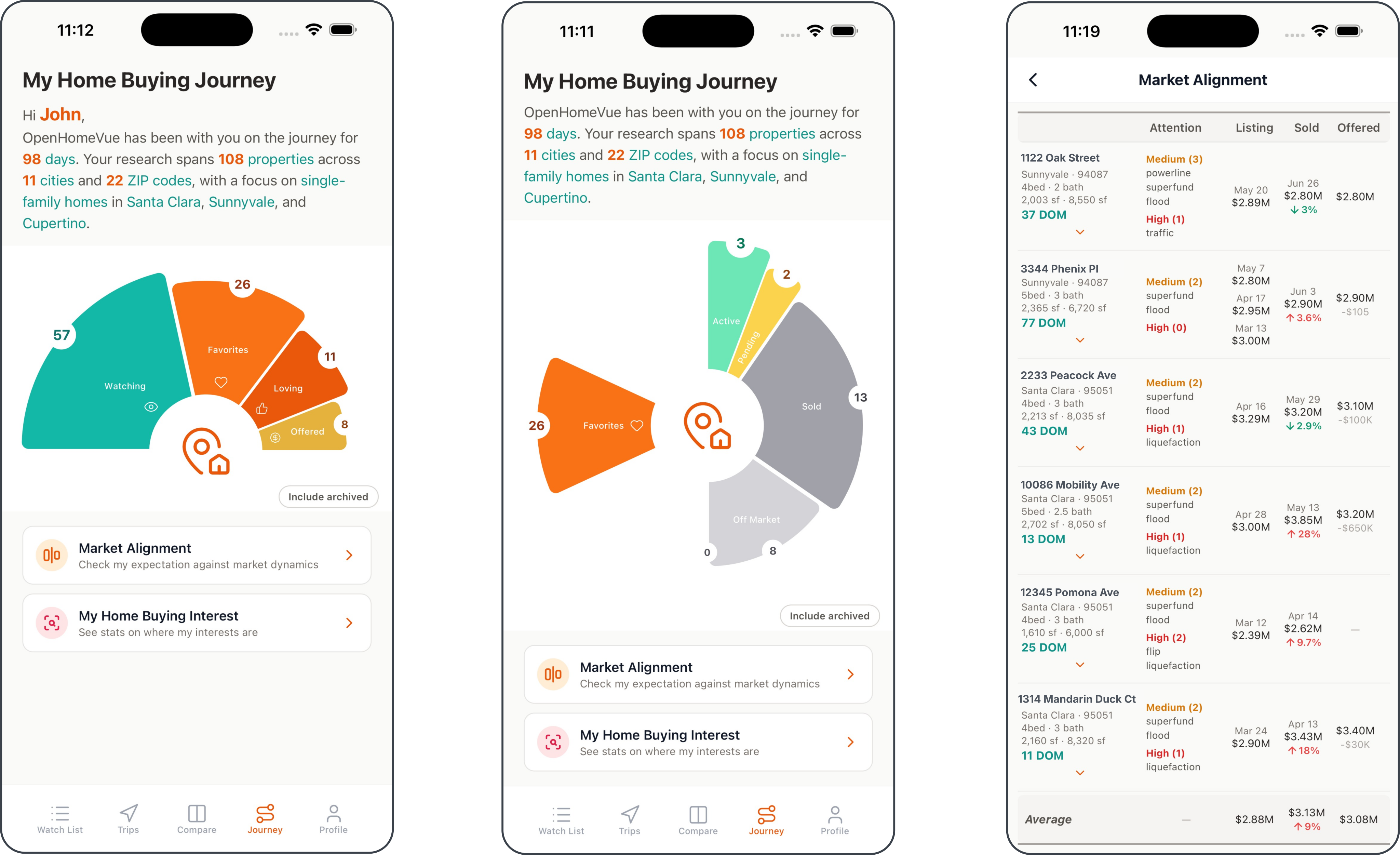
The mobile Journey view: a live fan of Watching, Favorites, Loving, and Offered, with one tap to break down by listing status.
Full Awareness and Control on the Web App
On the web, the same signals open into 360° Journey Statistics: rating and status tiles over interactive bars that slice your saved set by rating, city, ZIP, type, and month. Tap any tile or segment to focus the list on just those homes.
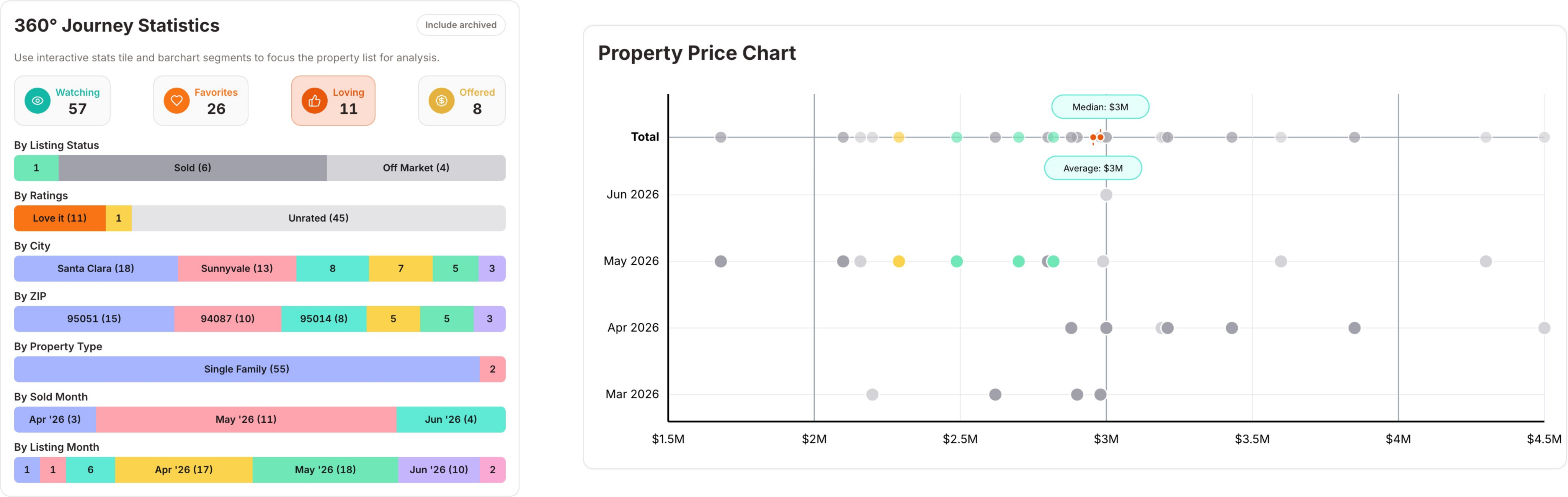
The web 360° Journey Statistics: tap any stat tile or bar segment to focus the property list by rating, status, city, ZIP, type, or month.
Related how-tos
Updated Jul, 2026