Your personal research journal
for the home-buying journey
As your research analyst, OpenHomeVue does the due diligence homework so you don't have to. Save a home you like and it hands you clear insights, and helps you journal every home from your first save to an accepted offer.

NO Subscriptions. NO Credit Cards.
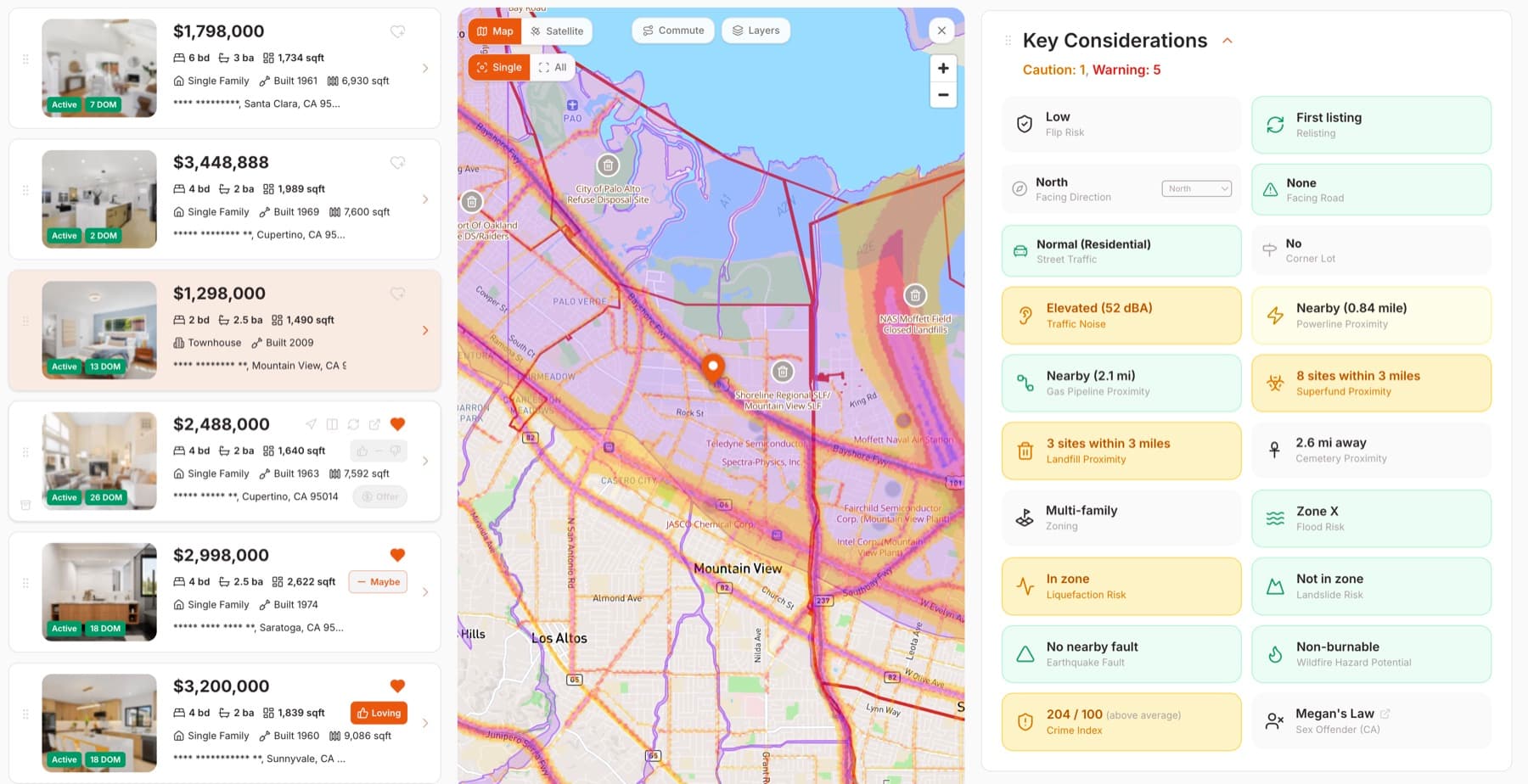
Spot all risks instantly and early, without spending hours on research.
The moment you save a home, OpenHomeVue runs the factual checks so you can avoid costly late regrets and know exactly where to pay attention: findings distilled into high, medium, and low attention signals.
– Environmental: Earthquake Fault, Liquefaction, Landslide, Wildfire, Flood, Superfund, Landfill
– Safety: Crime Index, sex-offender registry (Megan's Law, CA)
– Surroundings: Noise, Power lines, Gas pipelines, and nearby concerns
– Risk map overlay: a supercharged map that reveals the location and severity of each risk
Attendance boundaries on the map
Know schools better than your agent: boundaries on a map, deep insights behind ratings
A school is more than a single 8/10 rating. Families want certainty about the school a home is assigned to, whether their child will fit in, whether it is the right size, and whether each student gets enough attention. OpenHomeVue draws all California school district areas and, across the Bay Area, individual attendance boundaries on a single map, then opens each school's deep insights in the same place.
– Full map coverage: all California school district areas, plus Bay Area attendance boundaries, in one place
– High-school academic outcomes: college-going rate plus UC and CSU admission data
– Enrollment by grade, student demographics, and student-to-teacher ratio
– 10,000+ California public and private schools, each one you can favorite and follow
Explore the area as a map overlay
Know the neighborhood better than the neighbors: insights that help your next move
A good neighborhood is not just about the school district. OpenHomeVue reads the census data around each home and helps you find where suits your lifestyle, where you'd feel you belong, and where your family could thrive.
– A 360-degree neighborhood view: the economic, education, and population picture, simplified to review and compare at a glance
– Visualized as a map overlay: deep-dive a home you like, or explore a whole region
– Neighborhood, City, California: see how an area compares with the bigger picture around it
Essential Features to Support Your Decision Making
Plan tours to see your favorites, note down your observations and thoughts, and compare side by side to make an offer.
Plan tours that flow, 1-click to share
Group homes you like into one trip, then open it in your favorite maps app to get there.
- Multi-stop routes across saved homes
- Quick handoff to Apple or Google Maps
- Share the trip with a 1-click link
Pin notes right where they belong
Drop a text or photo note onto the exact section or risk it's about, so nothing you notice slips away.
- Text or photo, pinned to any card or field
- Notes on school insights follow you to the next home
- Threaded replies to talk it through
No more house-blindness
Put up to four favorites side by side and line up everything that matters, so the right one stands out.
- Synchronized side-by-side comparison, up to 4 homes
- Photos, specs, risks, and schools aligned
- Rate Loving to move forward, or Pass to archive
Your entire journey comes together into a digital journal
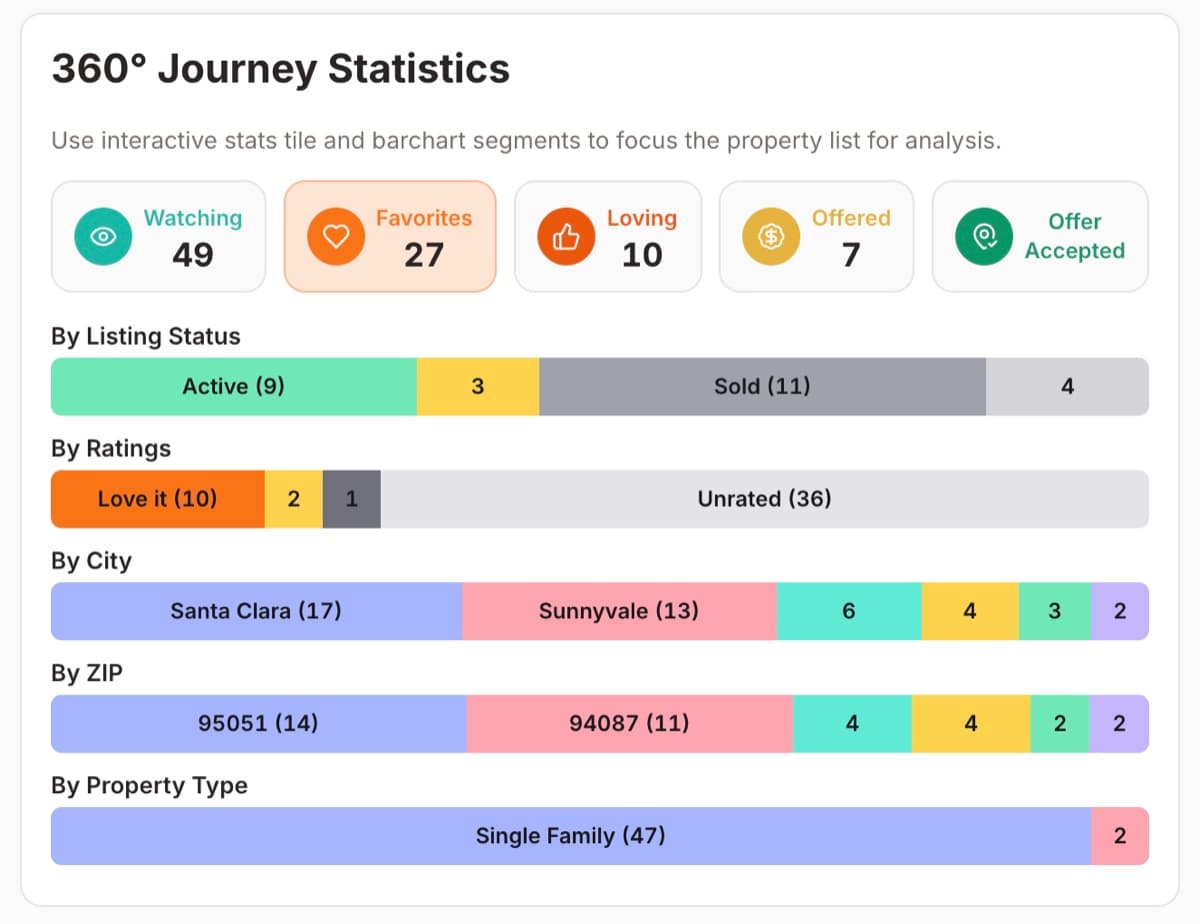
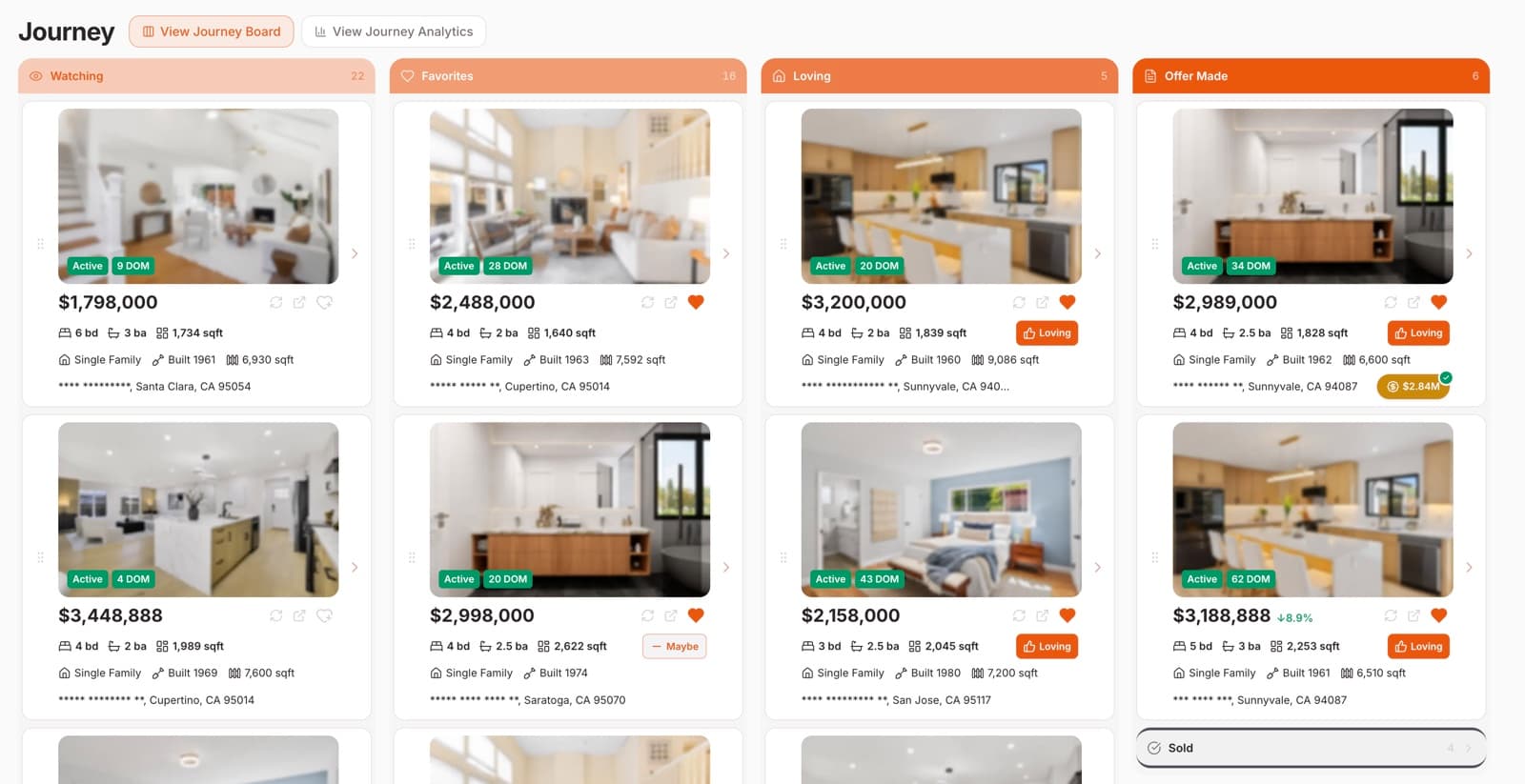
Every home you save moves through your journey, from Watching to Offer Accepted. 360-degree statistics show how your home-buying journey is shaping up and where the market sits, the payoff that builds over time.
– Track every home by phase: Watching, Favorites, Loving, Offered, Offer Accepted
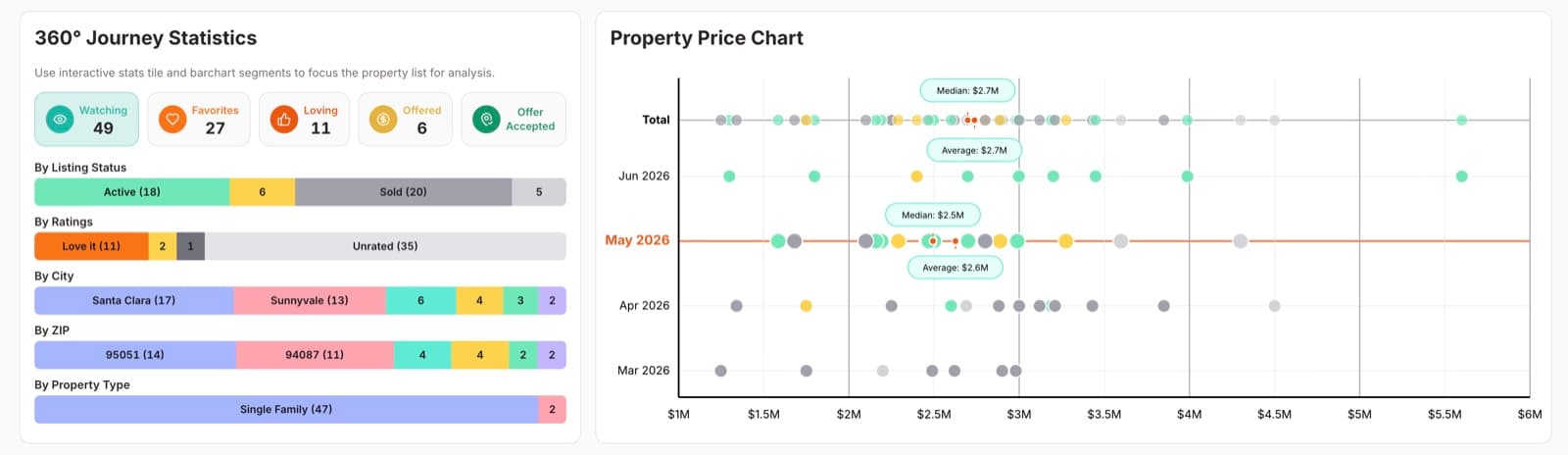
– 360-degree statistics by status, ratings, city, ZIP, and property type
– Market alignment: your expectations against real prices
– The big picture of your search, building over time
One journal, wherever the search takes you
The two apps do different jobs. Sit down at the web app when you're weighing a decision, and carry the iPhone app for everything that happens away from the desk. Every save, note, and rating syncs between them.
– Deep research across every consideration on a home
– Side-by-side comparison when it's down to a shortlist
– Journey analytics on how your search is actually going
– Save a listing from your favorite listing sites with the share sheet
– Screen a home in a minute to decide if it's worth a visit
– Notes, photos, and voice memos captured on the tour

Found a home you like from a listing website?
Add it to OpenHomeVue, let it do the research and bring you the deep insights every home-buyer deserves to know.

FREE for California Home-Buyers.
NO Subscriptions. NO Credit Cards.
Need help? Contact OpenHomeVue support